
How XpertApps Engineer Works
Research first. Change with approval. Revert anytime.
A look at the workflow that lets you move fast on ServiceNow without giving up control — every step shown on a real instance.
The XpertApps Engineer Workflow, Step by Step
A Chrome and Edge extension that runs on any ServiceNow dev instance with your own Anthropic API key. Research in plain English, plan before every change, log each edit, and revert with ServiceNow’s own native tools.
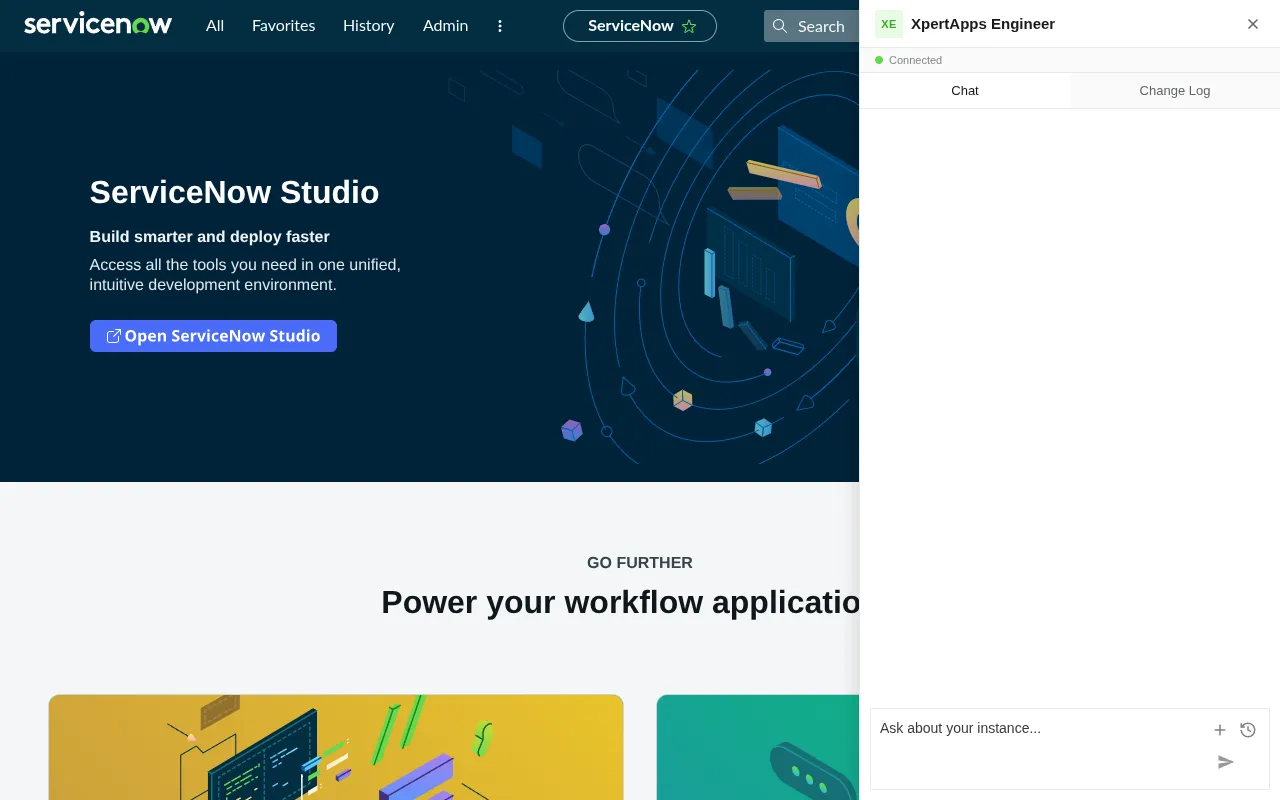
It Runs Right Alongside ServiceNow
Install the free extension and connect your own Anthropic key. A chat panel opens on any ServiceNow page, riding your signed-in session — no plugin, no credentials.
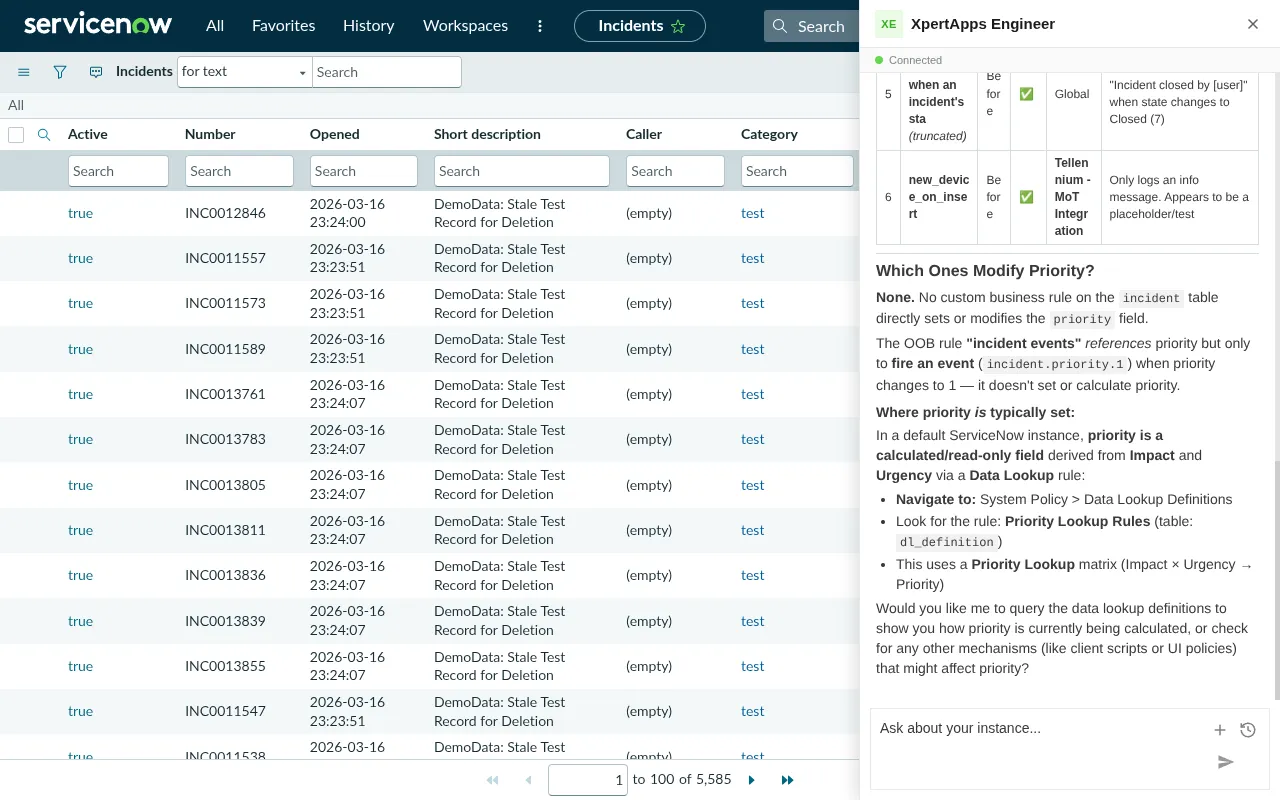
Ask Anything About Your Instance
Ask in plain English. It searches business rules, client scripts, script includes, UI policies, and flows, then traces how they connect — in minutes.

Nothing Changes Without Your Say-So
Turn on AI write mode and it proposes a plan first. Nothing is created, updated, or deleted until you click Approve.
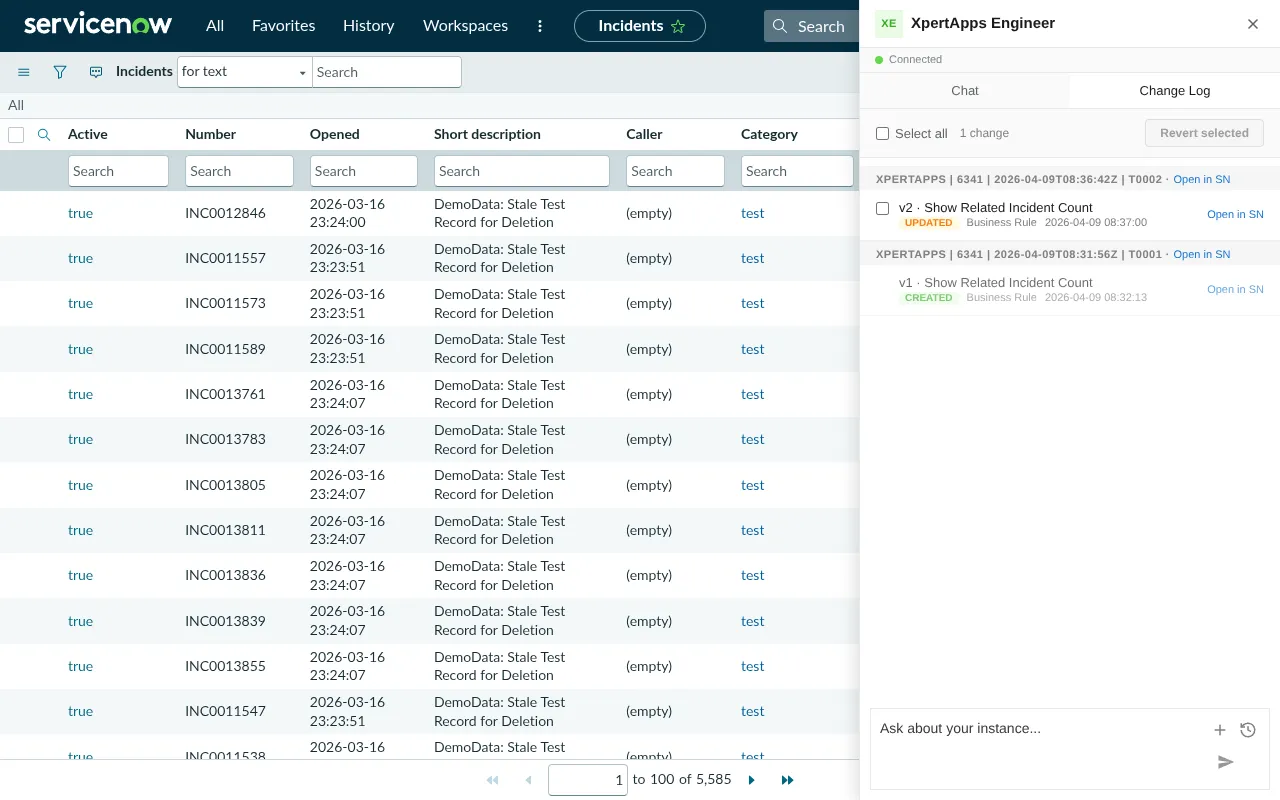
Every Change, Tracked
The change log records every modification, grouped by update set and matched to ServiceNow's own version history. You always know what was created, updated, or deleted.

Undo With Confidence
Select any change and undo it using ServiceNow’s own tools — not custom rollback logic you have to trust. Updates, new records, and deletions all revert.
What You Need
Lightweight by design
Chrome or Edge
v120+
Installs as a browser extension in Google Chrome or Microsoft Edge.
A Dev Instance
Any Version
Any development or sub-production ServiceNow instance you can sign in to. Never production.
Your AI
Your Key, Gateway, or Cloud
Community: your own Anthropic key, encrypted at rest under a passphrase you set. Team: your org's AI gateway, Amazon Bedrock, or Google Vertex. Enterprise: Claude in your own VPC. Launching soon.
Common Questions
Does XpertApps Engineer run on production?
No. XpertApps Engineer only runs on a development or sub-production ServiceNow instance you can sign in to—never production. It works on any version of ServiceNow.
Do I need to install a ServiceNow plugin?
No. XpertApps Engineer installs as a browser extension and opens a chat panel on any ServiceNow page, riding your existing signed-in session. There is no plugin to install and no credentials to enter inside ServiceNow.
Where does my Anthropic API key go?
On the free Community Edition you bring your own Anthropic key: it’s encrypted at rest under a passphrase you set and never leaves your browser. Team points at your org’s AI gateway, Amazon Bedrock, or Google Vertex; Enterprise runs Claude in your own VPC.
Which browsers are supported?
XpertApps Engineer installs as an extension in Google Chrome or Microsoft Edge, version 120 or newer.
Can XpertApps Engineer change my instance without permission?
No. Write mode is off until you turn it on, and even then it proposes a plan first—nothing is created, updated, or deleted until you click Approve. Every change is recorded in a change log and can be reverted using ServiceNow’s own native tools.
Try It on Your Own Instance
Get the free Community Edition and run it on your dev instance today — or step up to Team ($99/dev/mo) or Enterprise for your organisation.
Get the Free Edition
check_circleFree Community Edition — no credit card
check_circleYour Anthropic key never leaves your browser
check_circleWrite mode is off until you turn it on
check_circleOne-click undo on every change